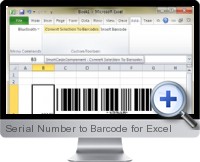
Excel Serial Number to Barcode (SmartCodeComponent) allows creating barcodes within Office and other Windows programs by using OLE object linking and embedding. The serial number to barcode component is also packaged as an Excel add-in to provide barcode generation functionality with automation within Excel documents. Serial numbers within Excel cells can be selected and then a button clicked to convert all serial numbers to specified barcode images.
Key features of Excel serial number to barcode include:
- Set the barcodes dimensions, orientation and type.
- Apply customized text above or below the barcode with specified alignment and font.
- Export barcode images in various formats including JPEG, GIF, PNG and TIFF.
- Support for industry application identifiers including UCC and EAN 128.
- Checksum characters can be enabled or disabled in the barcode or appended to text.
- Apply top or bottom bearer bars with specified thickness and quiet zones.
- Set foreground and background colors and print in high resolution.
- UPC extensions 2 and 5 are supported automatically.
- Automatic data validation ensures barcode encodes adheres to industry specifications.
- Automatically convert serial numbers found within Excel spreadsheets to barcodes.
- Supports commonly used barcode symbols including Code39/128/128A-C/39ASCII/93, Interleaved 2 of 5, ITF14, EAN13, ISBN, ISSN, UPCA, UPCE, EAN8, UPC Ext 2/5,UCCEAN128, Rational Codabar, MSI, Standard 2 of 5, GS1 (RSS) DataBar 14/Stacked Omnidirectional/Limited.
Try It Get It (Pricing is available on the next page)(Updated on 2023-10-01) |