| Home > Excel Business Solutions > Operations and Management > Process Management > Batch Printing | Share |
Batch Printing
Excel batch printing for process management
Excel Batch Printing | Rate this solution: (4/5 from 2 votes) |
|
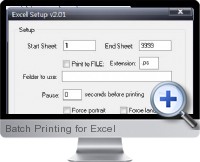
Batch Printing for Excel (Batch and Print Pro) is an application for management and automation of batch printing multiple documents of common formats with advanced printing parameter specification. The Excel add-in for the batch printing application is available to manage and control printing of multiple worksheets and ranges from within Excel. Batch Printing for Excel monitors the spool queue of printers for seamless sequence printing as well as directory monitoring, FTP and POP3 email monitoring, automatic scheduling of print jobs, printer load balancing, pre-processing for converting PDF to Postscript without Acrobat and more. Batch Printing for Excel is ideal for gaining efficiency in any printing process management and providing powerful automated reporting for business purposes. The master program interface has power features including drag and drop of files, save/load/append to batch lists, list ordering options, refresh lists to pickup new files, page separator between files option, batch file replication, command line, compressed file support, logging, reporting, and email notification. Key features of the Batch Printing for Excel add-in include:
| |
Related Excel Solutions for Batch PrintingEmail SendingSales and Marketing Email Sheets and RangesPresentation and Reporting Mac Batch PDF ConverterConverting and Integrating |
| Share your thoughts and opinion with other users: Create Review |
Browse Main Excel Solution CategoriesBusiness Finance Financial Markets Operations Management Excel Productivity |
Additional Excel business solutions are categorized as Free Excel solutions and the most popular. Further solutions proposed for specific user requirements can be either found in the Excel Help Forum.