Conditional Formatting Functions

Excel Conditional Formatting Functions for Time Saving

Submit an Excel Solution
Submit Solution [Guide]

Recently Added:
Bezier Curve Fitting
Yellow Pages Data Mining
Multiple Workbook Control
Loan Amortization Calculator and Schedule
Geographical Data Mapping
More Resources:
Excel Help Forum


Follow Business Spreadsheets On:
 
Find Excel Solutions:
Select suggested text to load results or icon to view solution.
Browse Main Categories: Business Finance | Financial Markets | Operations Management | Excel Productivity
 

Conditional Formatting Functions
Rate this solution:
(3/5 from 1 vote)
Buy Now
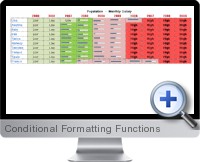
Conditional Formatting Functions screenshot
Pin It
 The Conditional Formatting Functions add-in for Excel enhances the built conditional formatting functionality of Excel and offers solutions to utilize conditional formatting to apply math functions and tasks.

In order to simplify the analysis of specific data in a spreadsheet application it is common to apply conditional formatting within Excel. However, Excel's default conditional formatting functionality is limited to just 3 levels of conditions.

Conditional Formatting Functions for Excel can apply conditional formatting to format an cells and ranges with an unlimited number of conditions.

Conditional Formatting Functions for Excel is useful when working with large quantities of information or dynamic data such as stock quotes reports. As such spreadsheets periodically update automatically, the changes are highlighted with relevant colors in order to make quick and informed decisions.

Key features of Conditional Formatting Functions include:
  • Unlimited number of conditional formatting levels - The multiple conditional analysis and formatting tool is suitable to format cells based on a criteria previously specified in the decision table.
  • Apply Cell's math by format - Use this tool to search all cells in a specific range with a particular background color and apply some mathematical functions to the results.
  • Searching easily - A useful tool that has been designed to make searching in a data range both simple and efficient. Search by format, logic criteria, or by text.
  • Cell's math with selected cells - Apply mathematical functions to only the selected cells in a worksheet and choose output cells.
  • Saving models - Conditional formatting rules and functions can be saved and later applied to subsequent models and analysis.
  • Specifying cells - This tools enables the selection of cells based on format including number format, font, color, cell color etc.
  • Exporting and Managing Sheets and Workbooks - These tools facilitate the exporting of sheets to new books, copying and moving sheets and workbooks in an efficient manner.
  • Toggle settings - Save valuable time doing repetitive tasks. For example, to hide the headings in several sheets of the Workbook, instead of doing it one at a time,this powerful tool can automate it to save time.

Buy Now
Price: USD 29.95

Related Excel Solutions:Conditional Row Deletion (Time Saving) | Enhance Spreadsheet Presentation (Presentation and Reporting) | Model Navigation (Model Building) | Data Management and Analysis (Data Management) | Data Integrity Analysis (Navigation and Auditing) | Workbook Tools (Navigation and Auditing) | Automate Macros (Programming Components) | Cell Formatting (Presentation and Reporting) | Pivot Table Formatting (Presentation and Reporting)

Share your thoughts with other users: Create your own review
 

Download Conditional Formatting Functions Reference
For iTunes & iOS Device


Popular Searches
1.
2.
3.
4.
5.
Add Economic Data to Excel Reports and Dashboards
See How Here

       
  © 2013 Business Spreadsheets. All Rights Reserved. Legal | About Us